ExamFokus,
on your terms
Turn an Excel sheet of questions into a sharp, offline quiz app — or try it right here in your browser. Built for educators and self-learners. No signup.
Excel-first · Offline · Try in browser · Free
Learning that respects your time.
ABIOLA Academy was founded on a simple belief: business-software learning should be focused, repeatable, and free of distractions. We build small, purposeful tools — not bloated platforms — that students can run on their own laptops, without subscriptions or cloud lock-in.
Our flagship product, ExamFokus, lets educators turn an Excel sheet of questions into a standalone quiz app in minutes. No servers, no accounts, no internet required.
Our quiz app
ExamFokus — your
custom quiz app
Take any list of questions in Excel and turn it into a sharp, offline quiz program. Built for educators and self-learners alike.
Write in Excel
Fill columns: question, three answer options, correct one. That's it.
Build with one click
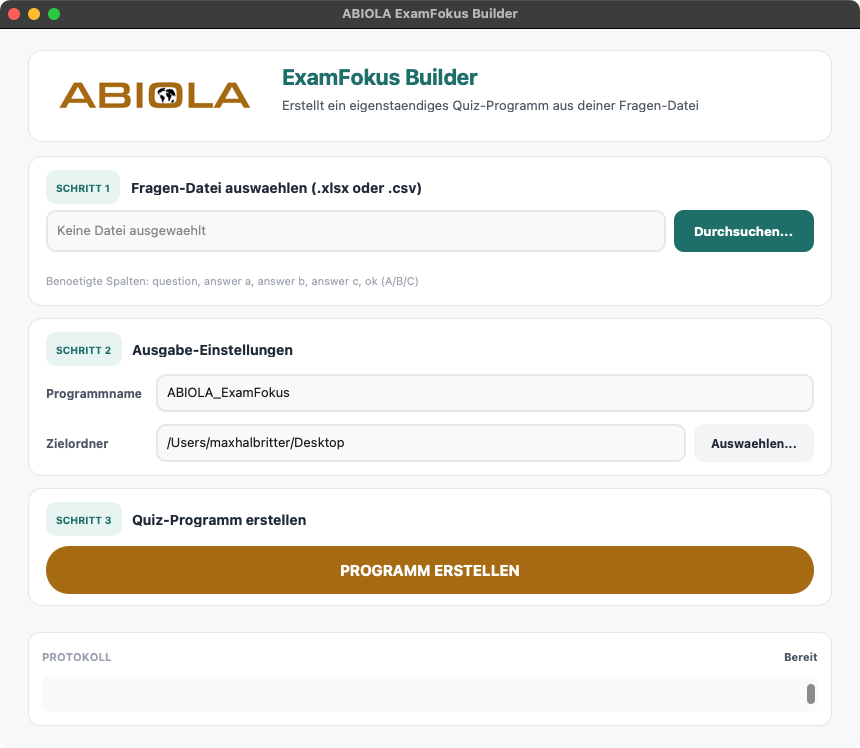
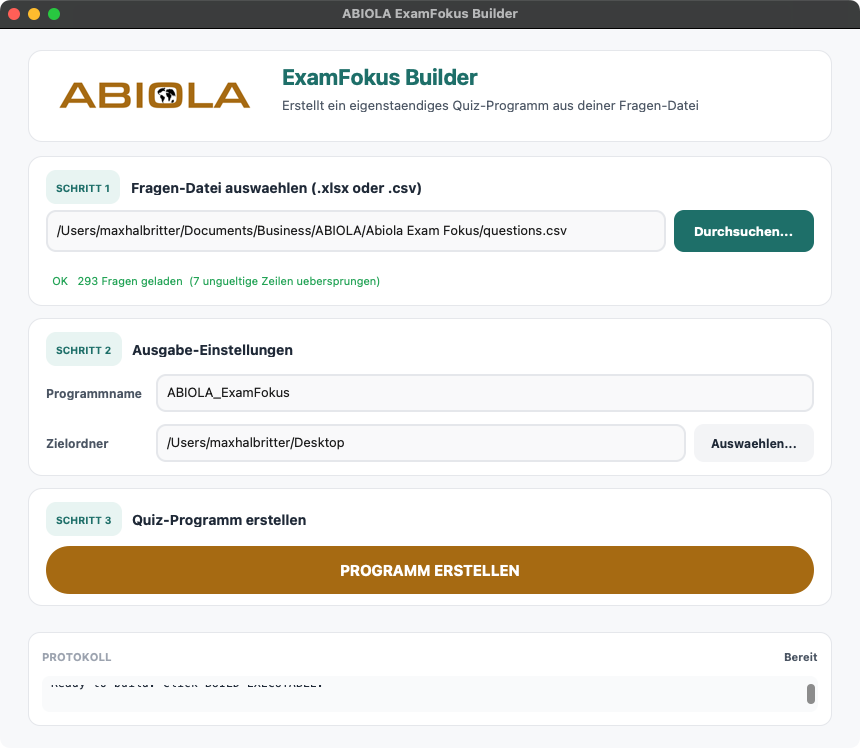
Run the builder, pick your Excel file, hit CREATE.
Study anywhere
Distribute the standalone .exe — one file, no installer, no internet.
Try it now
Experience ExamFokus right in your browser
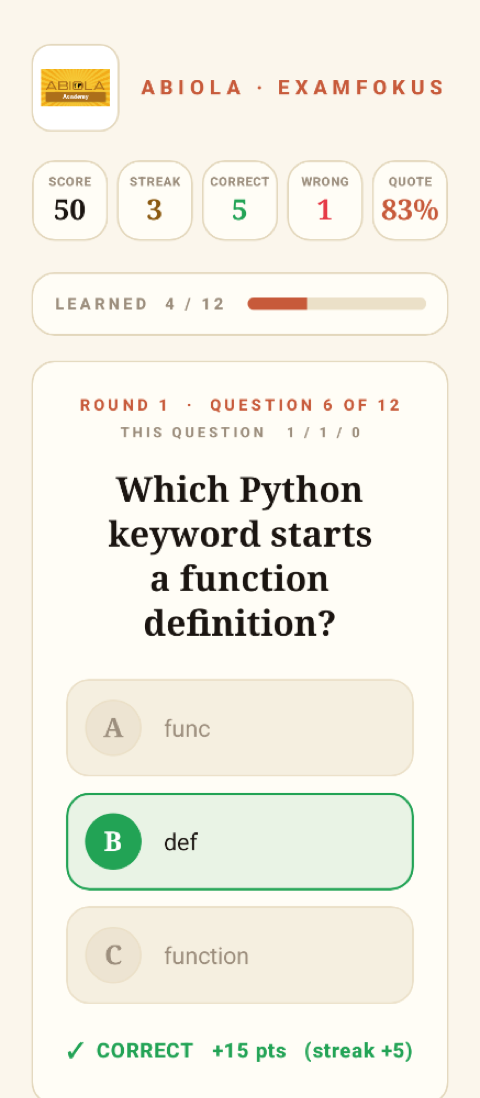
No download, no account. Pick a deck, answer a few questions, see the mechanic that drives serious exam prep.
A look inside the Windows app
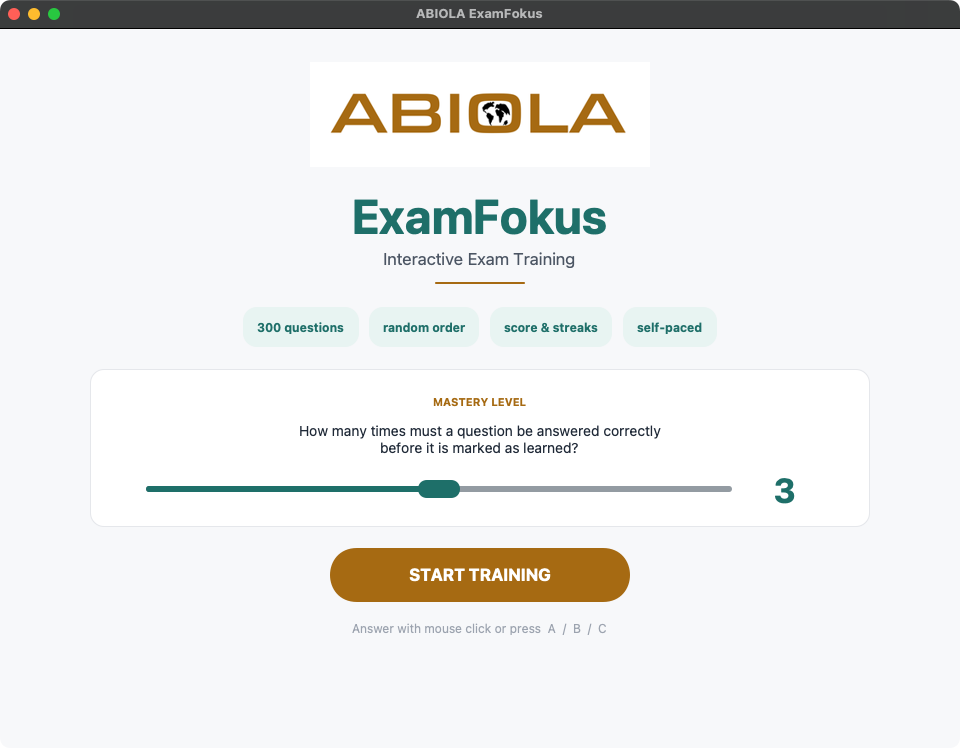
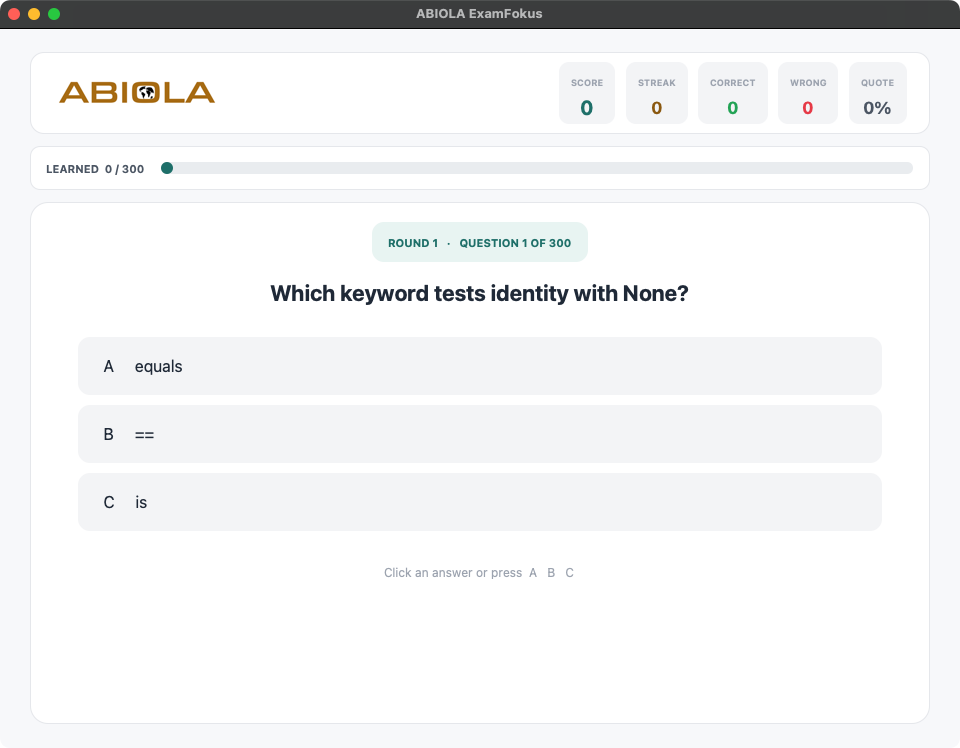
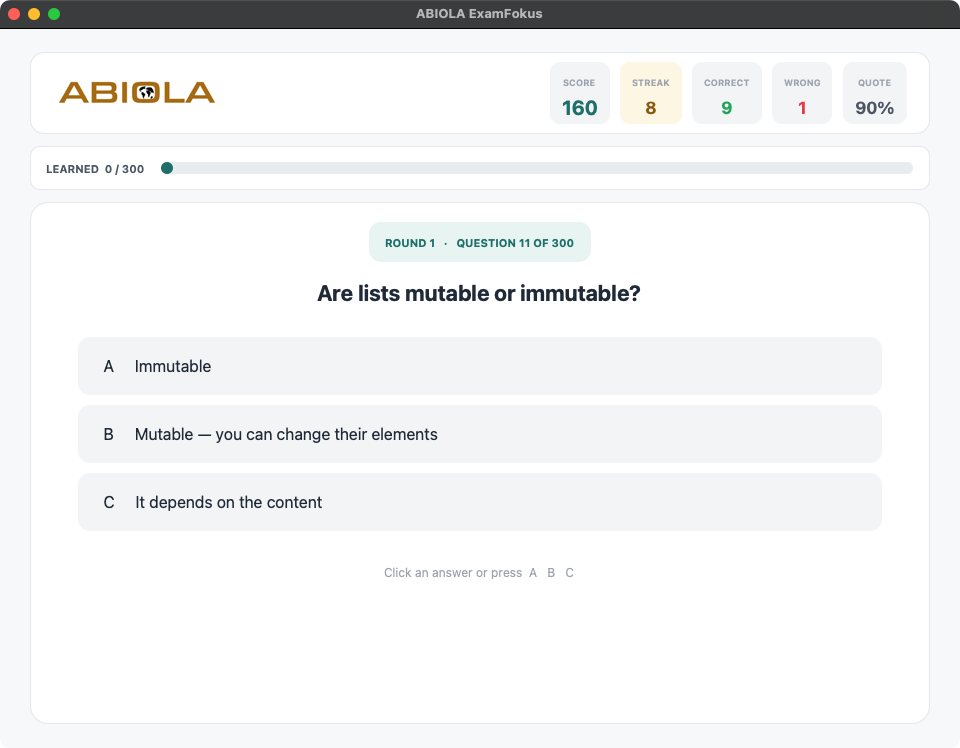
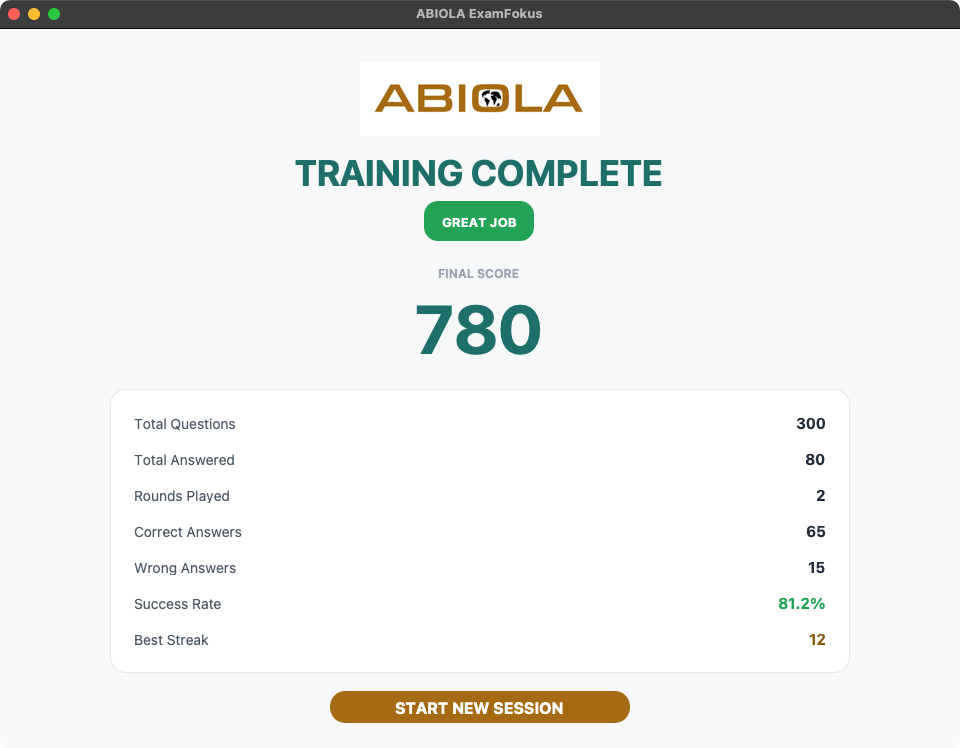
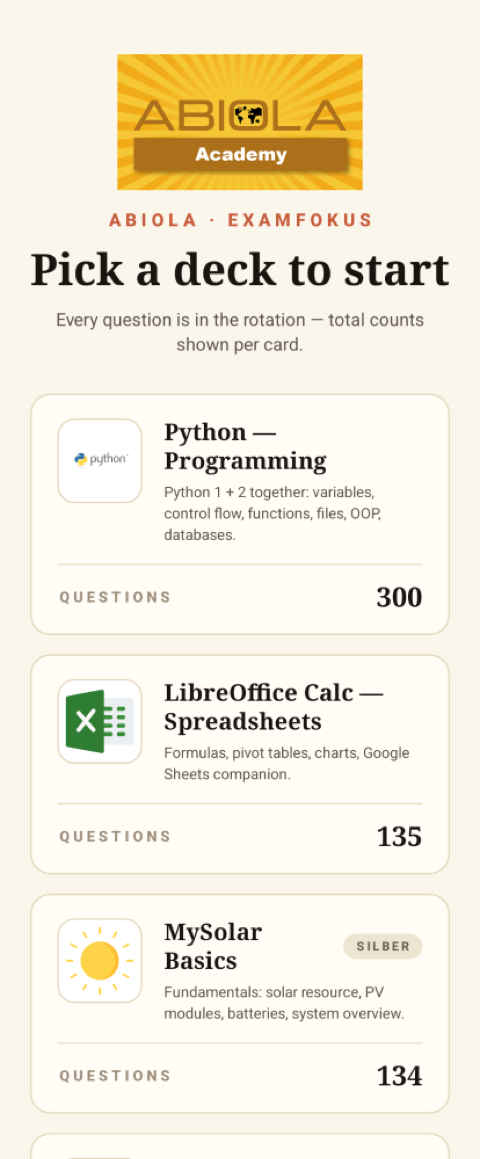
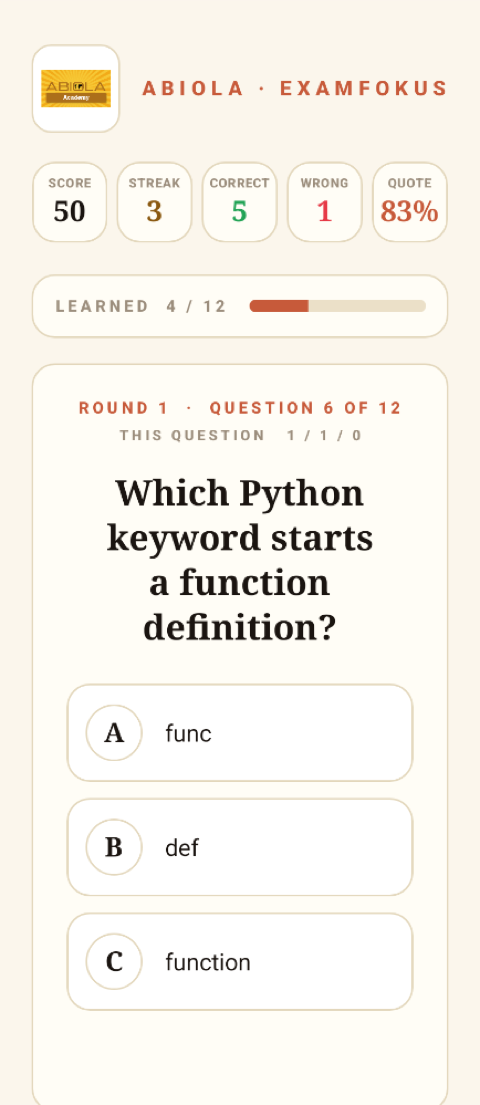
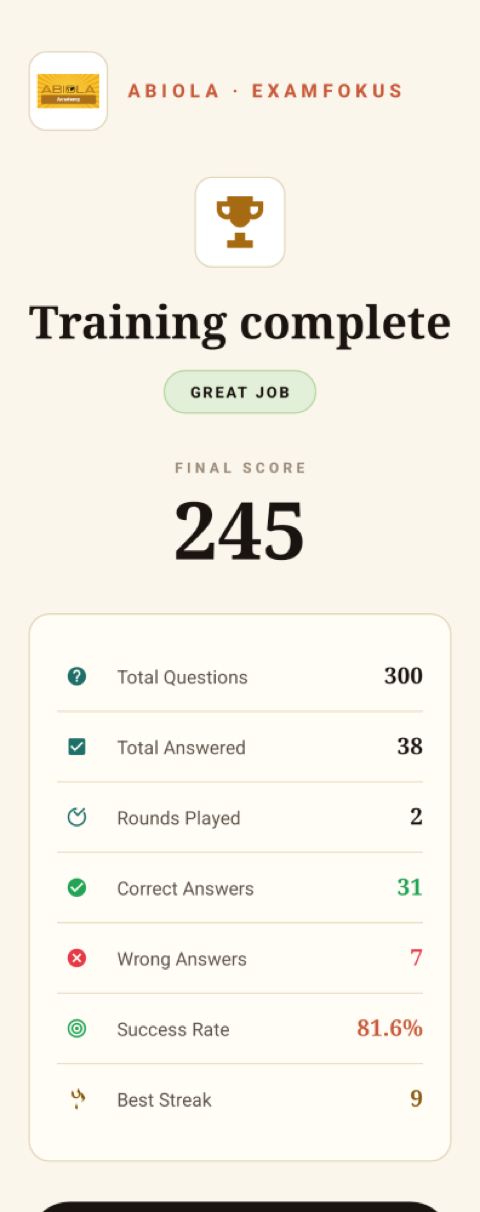
In your pocket — on Android
Get the app
Download ExamFokus
Prefer a native app? Grab the ExamFokus demo — the same quiz you just tried, running fully offline on your device.
The builder shown above turns your own Excel file into an app exactly like this one.
ExamFokus Builder (Python)
The same tool used to build the apps above. Turn any Excel sheet of questions into a standalone, offline quiz app — free & open-source.
How it works
- 1 Install Python 3.10+ (one-time) — get it here ↗
- 2
Unzip the file. Open a terminal and step into the unzipped folder — tip: type cd and a space, then drag the folder onto the terminal window to fill in the path (or type it yourself):
# macOS / Linux
cd ~/Downloads/ABIOLA_ExamFokus_Builder

# Windows (PowerShell)
cd ~\Downloads\ABIOLA_ExamFokus_Builder
Then set up Python and start the builder:
python -m venv .venv # Windows: .venv\Scripts\Activate.ps1 # macOS/Linux: source .venv/bin/activate pip install customtkinter Pillow openpyxl pyinstaller python builder.py - 3 In the builder: pick your Excel (columns: question, 3 answers, correct), name it, and hit
CREATE— out comes your standalone app.
Built around how students actually study.
Excel-first
If you can edit a spreadsheet, you can create a quiz. No markdown, no JSON, no learning curve.
Offline forever
Compiled to a standalone Windows .exe — runs locally with no server, no internet, no privacy concerns.
Spaced repetition
Each question stays in the rotation until answered correctly N times. Wrong answer? Counter resets.
Questions